Try Meevee
Try Meevee
← All articles
Getting Started with Meevee
  • Create Your Meevee Account
  • How to Add Your Child's Profile and Interests
  • Pair a Second Device for Your Child to Play On
  • Set Up Your Parent and Family Profile
Managing Play Sessions
  • How to Access Parent Controls During a Live Session
  • How to Choose an Activity for After a Meevee Play Session
  • How to Enable Push Notifications
  • How to Set a Screen Time Limit for a Play Session
  • How to Start a New Play Session
  • Review the Post-Session Summary
The Child's Experience
  • How Sessions End with the Wind-Down Routine
  • How the Hourglass Timer Works
  • Interactive Brain-Breaks: Puzzles, Coloring, and Games
  • Understanding the Child's Playspace
Customizing Your Account
  • How to Change Your Name and Profile Picture
  • How to Manage Your Meevee Membership Plan
  • How to Upload Family Photos for Personalized Games
  • Update Your Child's Interests and Milestones via Chat
Feedback and Support
  • Contact Support
  • How to Delete Your Meevee Account
  • How to Log Out of Your Meevee Account
  • How to Send Feedback or Report an Issue via Chat
Help / Feedback and Support

Contact Support

This guide shows you how to contact the Meevee support team. If you have questions, run into an issue, or need assistance, you can easily get in touch with us directly from your account settings.

  1. Click your profile icon in the top left corner of the chat screen to open the Settings panel.
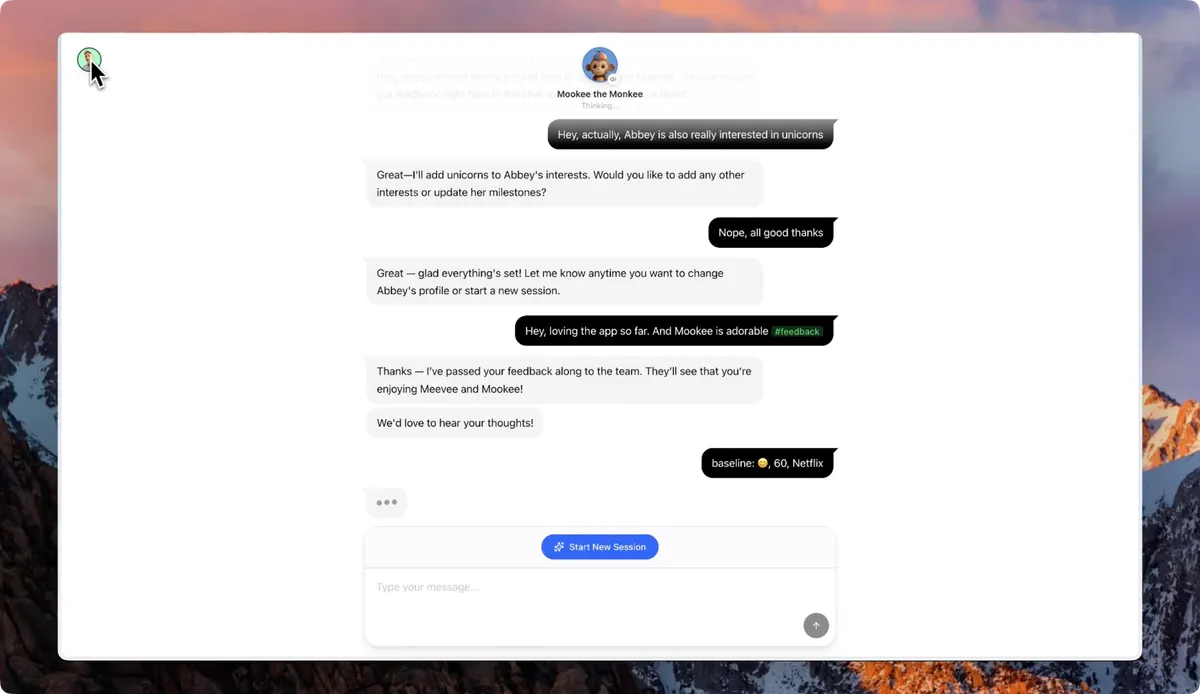
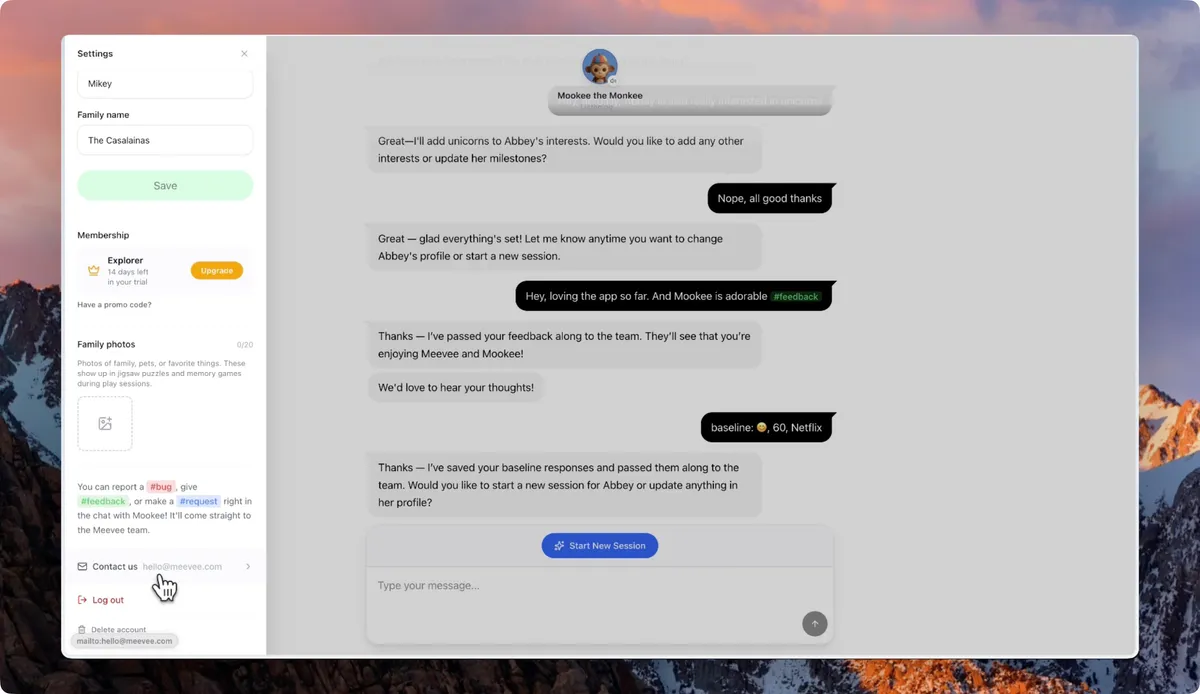
  2. In the Settings panel, locate the Contact us section.

  3. Click the email address link to open your default email client and send us a message.
Alternative: Contacting Us via Chat

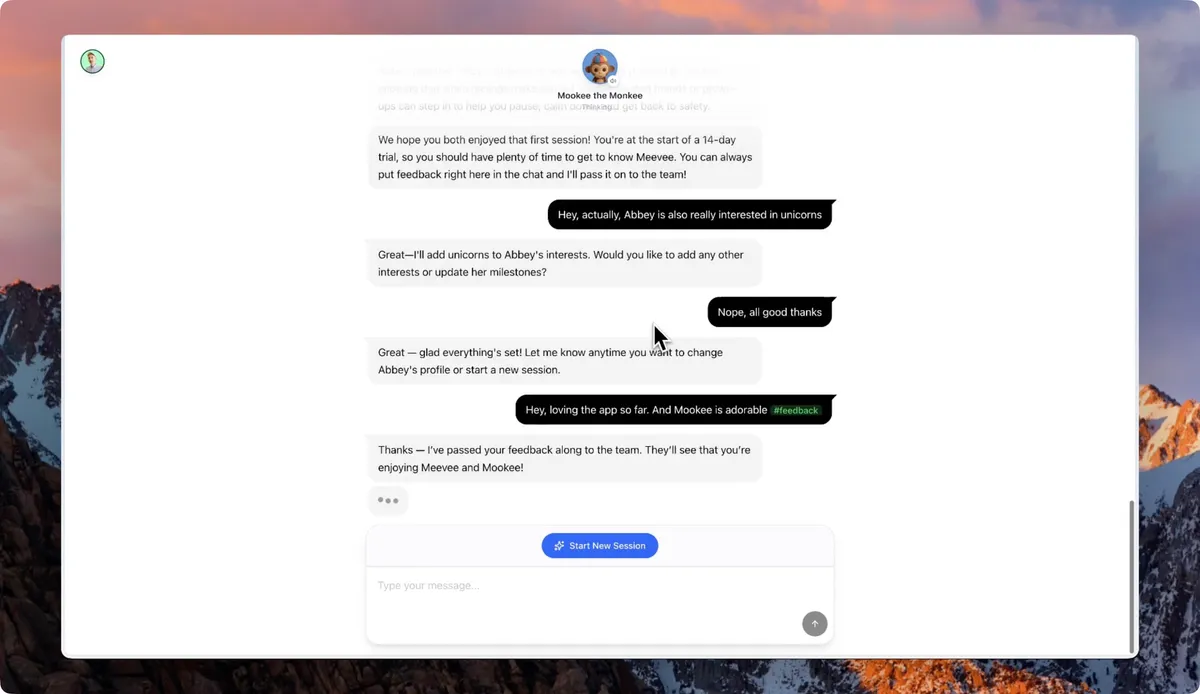
  1. For quick feedback, feature requests, or bug reports, you can also type your message directly into the chat with Mookee. Tagging your message with #feedback, #request, or #bug will send it straight to the Meevee team.
Summary

This article explains how to contact the Meevee support team through the settings panel. Reaching out allows you to get direct assistance with any questions or issues, ensuring a smooth and enjoyable experience with the platform.

Related

  • Send Feedback or Report an Issue via Chat
  • Delete Your Account

Last updated: 9 May 2026

Previous Update Your Child's Interests and Milestones via Chat Next How to Delete Your Meevee Account
Screen Time That Ends Well
  • Made for Parents
  • Curated Content
  • Made for Kids
  • Built with Care
  • Testimonials
  • Membership
  • Blog
  • Help Center
  • The Meevee Story
  • Our Team
  • Careers
  • Parent Guides
  • Printables
  • Content Standards
  • FAQs
  • Support
  • Privacy
  • Terms of Service
  • Press Kit
  • Contact Us
  • For Distributors
  • For Creators
  • Meevee for iOS
  • Meevee for Android
  • Meevee for Smart TV
© COPYRIGHT MEEVEE B.V. 2026