How to Enable Push Notifications
Push notifications in Meevee help parents anticipate the end of a screen time session so they can connect with their kids. Enabling notifications can be done in the Settings panel (by tapping your avatar on the chat page) or when prompted during a device-paired first session creation.
During a first device-paired session
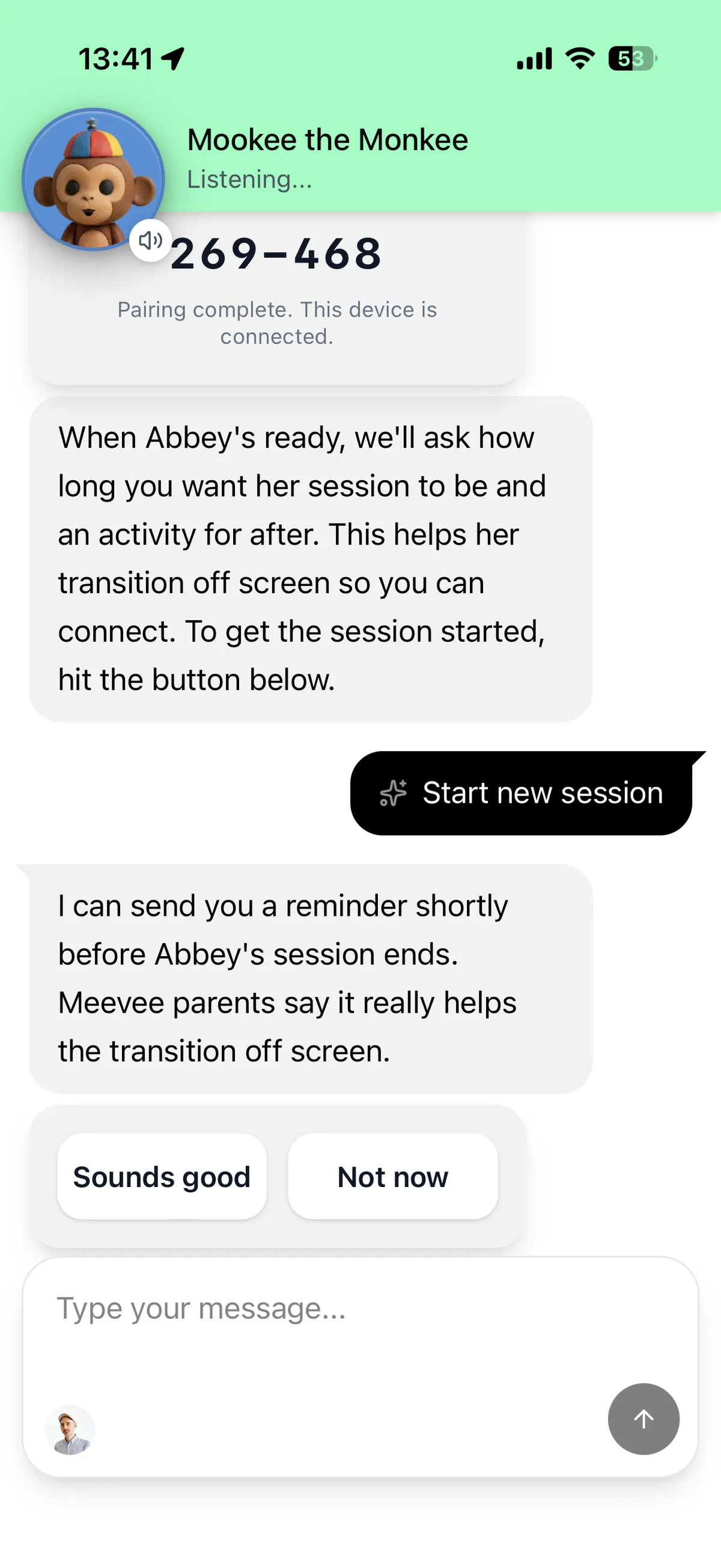
Mookee will ask if you’d like to get a reminder before a session’s end. Tap “Sounds good.”
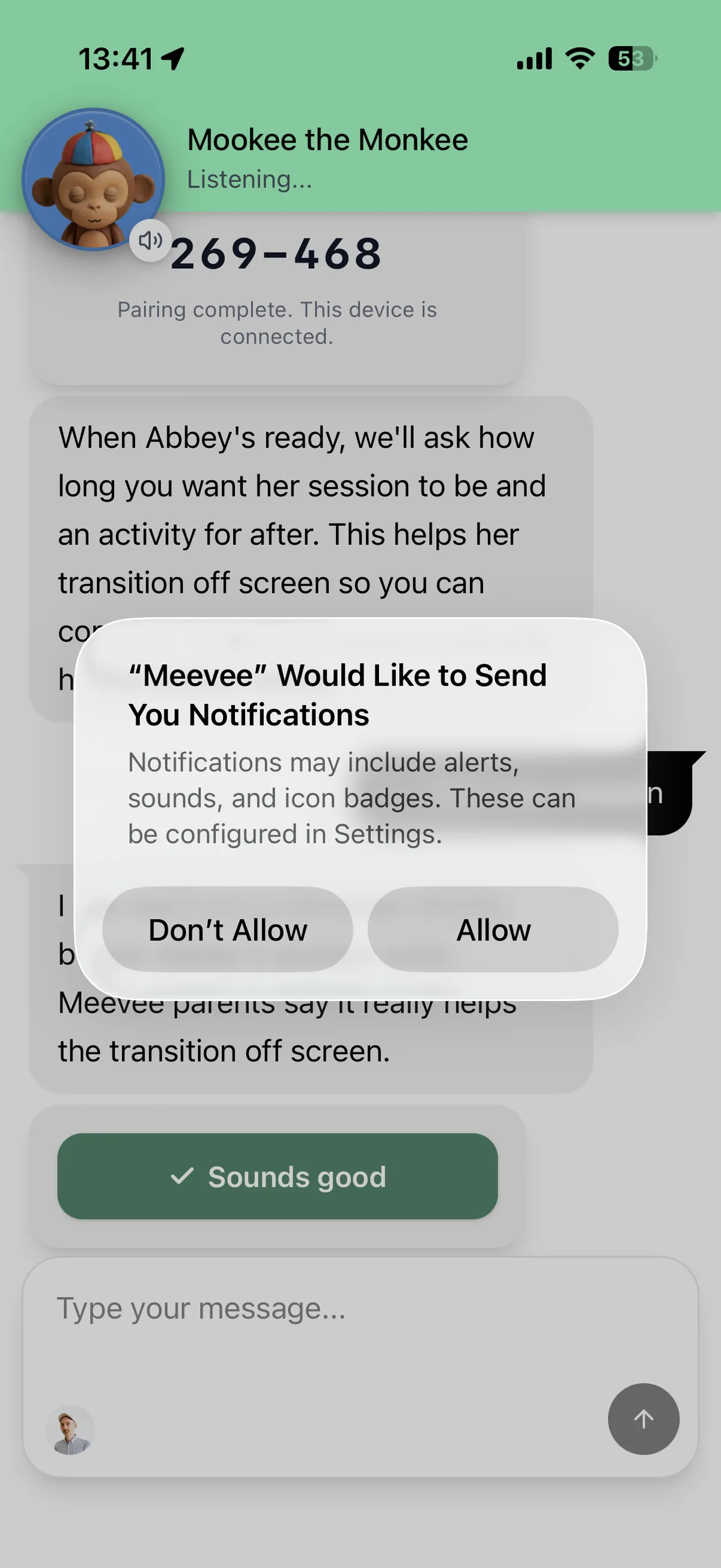
When prompted by iOS, choose “Allow.”
Enable Push Notifications in the Settings Panel
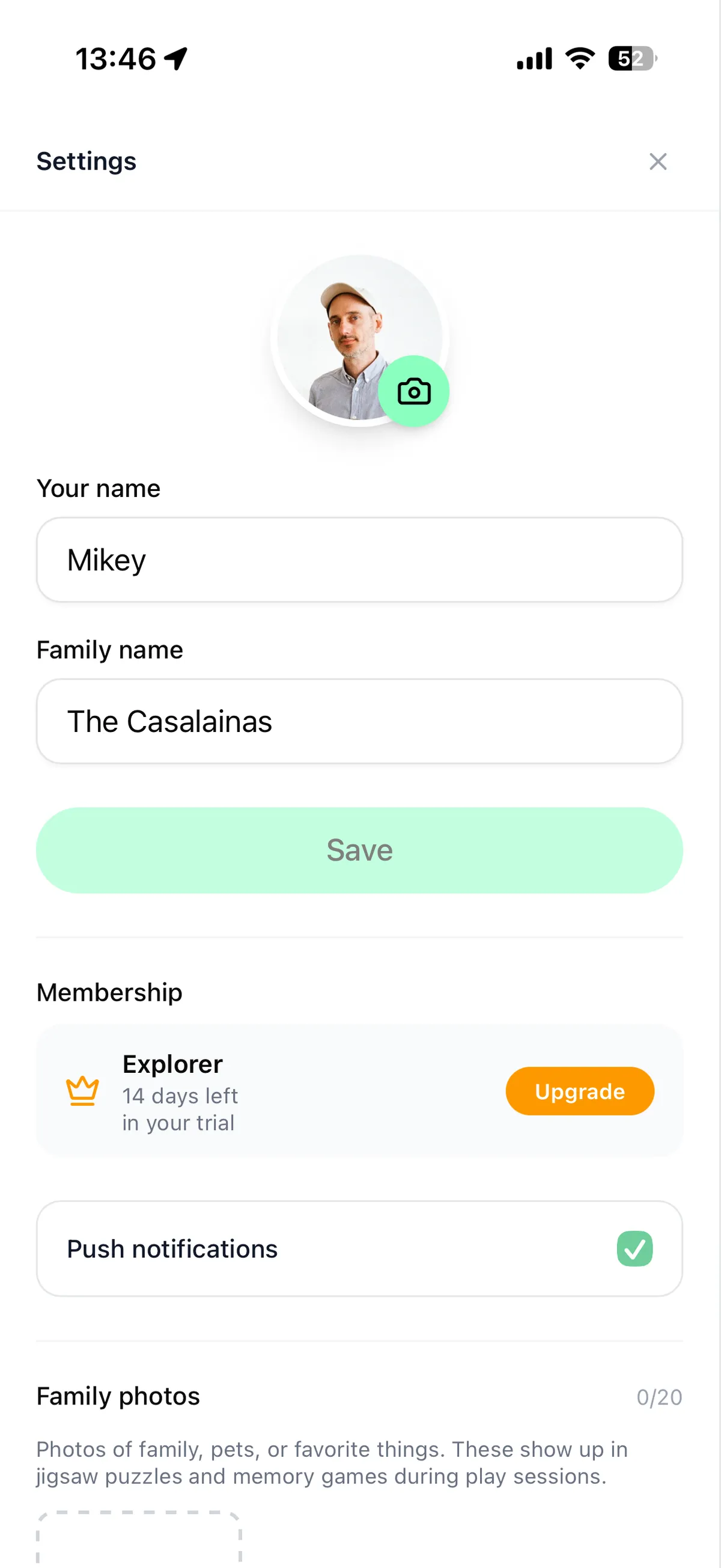
You can also enable push notifications by tapping the checkbox in the settings panel.
Enabling Push Notifications if you hit “Don’t Allow” previously
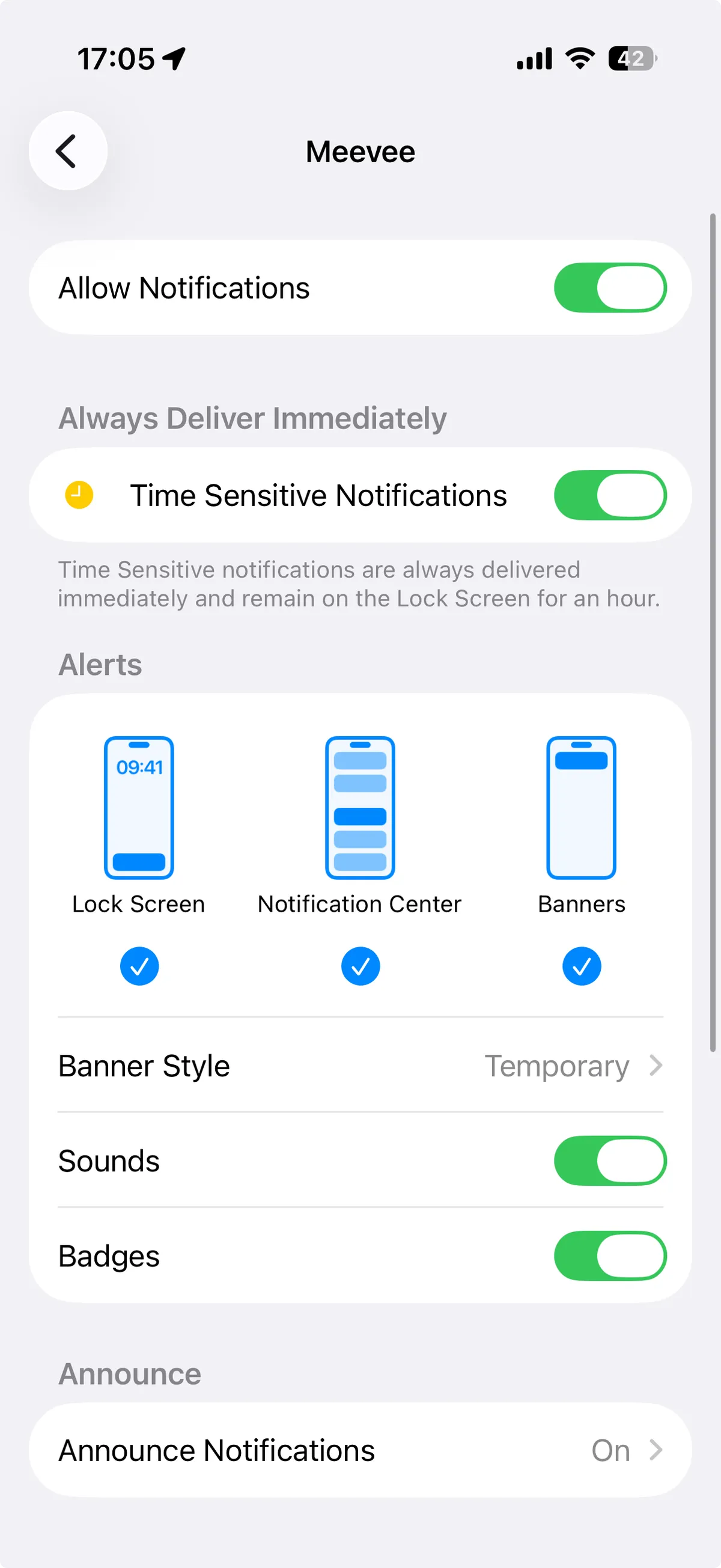
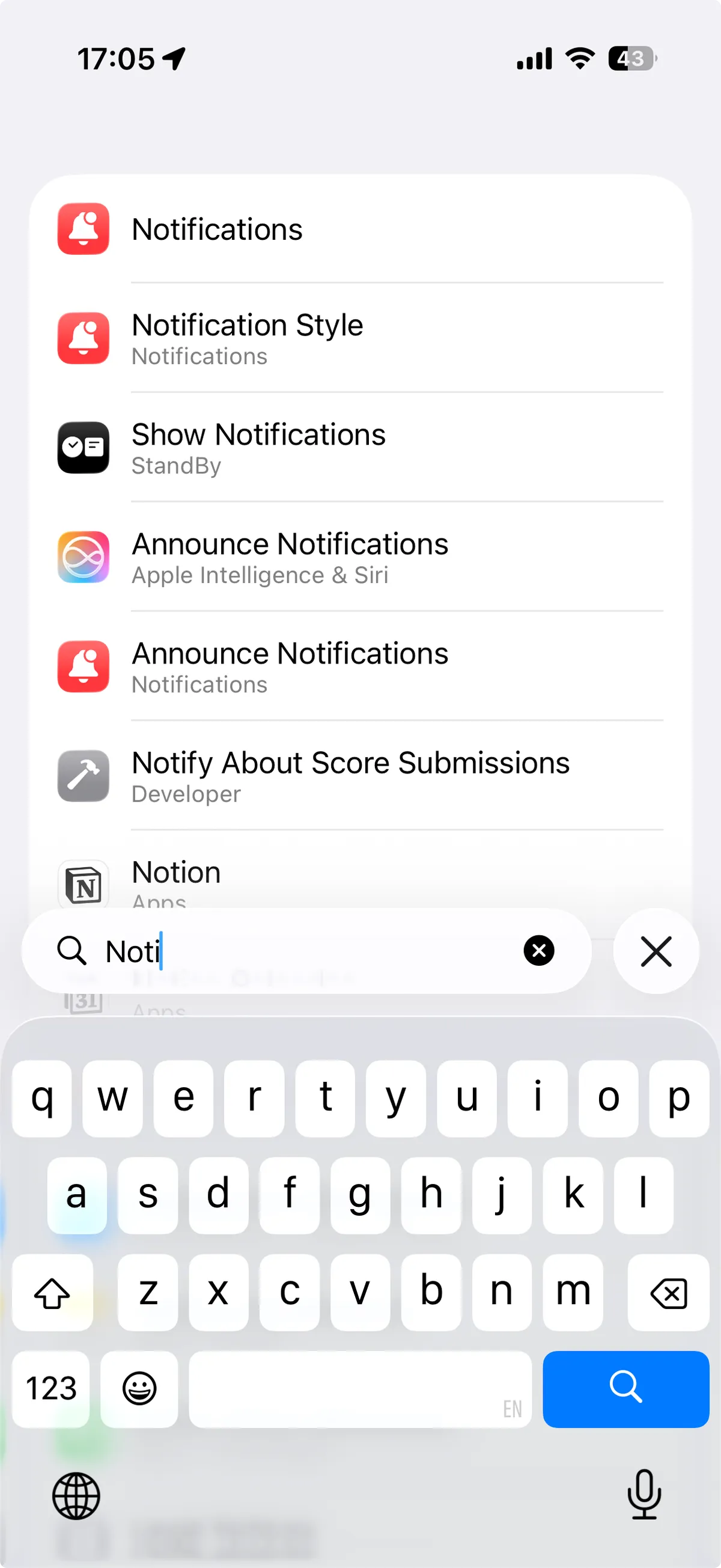
If you’ve chosen “Don’t Allow” when prompted, to reenable Push, you’ll have to go into Apple Settings, search “Notifications”
Then toggle Allow Notifications and Time Sensitive Notifications on