How to Change Your Name and Profile Picture
This article explains how to update your parent profile name and picture in your Meevee account. Following these steps allows you to easily personalize your account details. You will need access to your Meevee account and a new photo saved to your device.
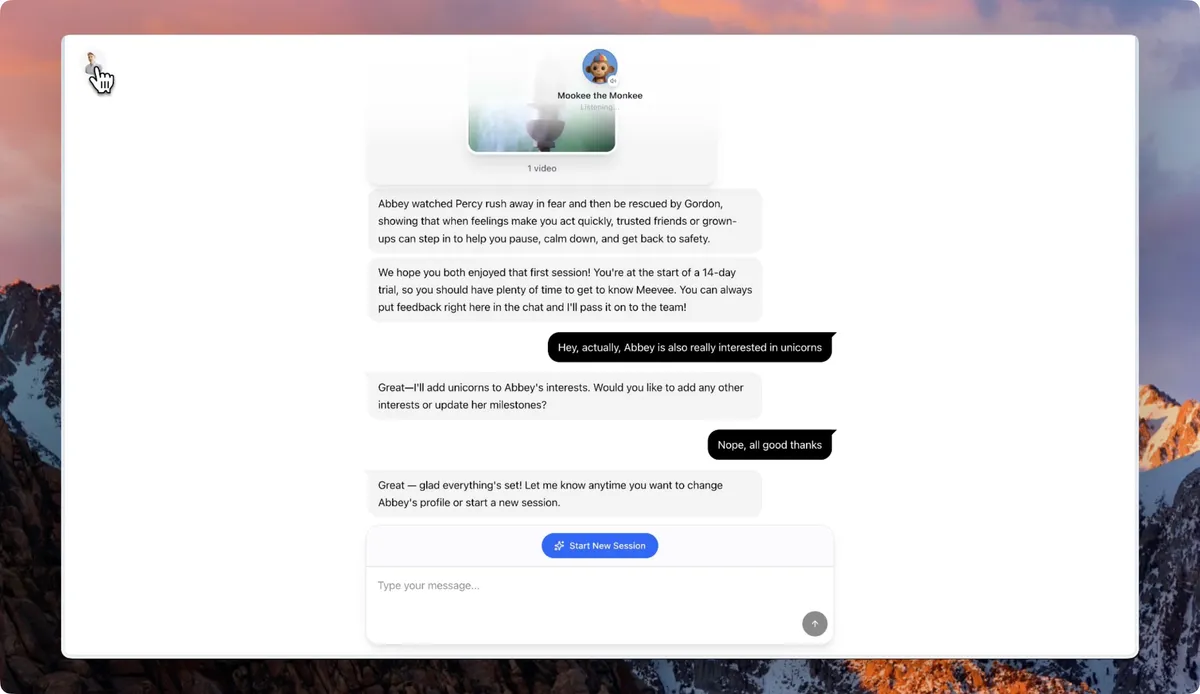
From the main chat screen, click your profile picture in the top-left corner to open the Settings panel.
To change your name, edit the text in the Your name and Family name fields.
To change your profile picture, click the camera icon on your current avatar.
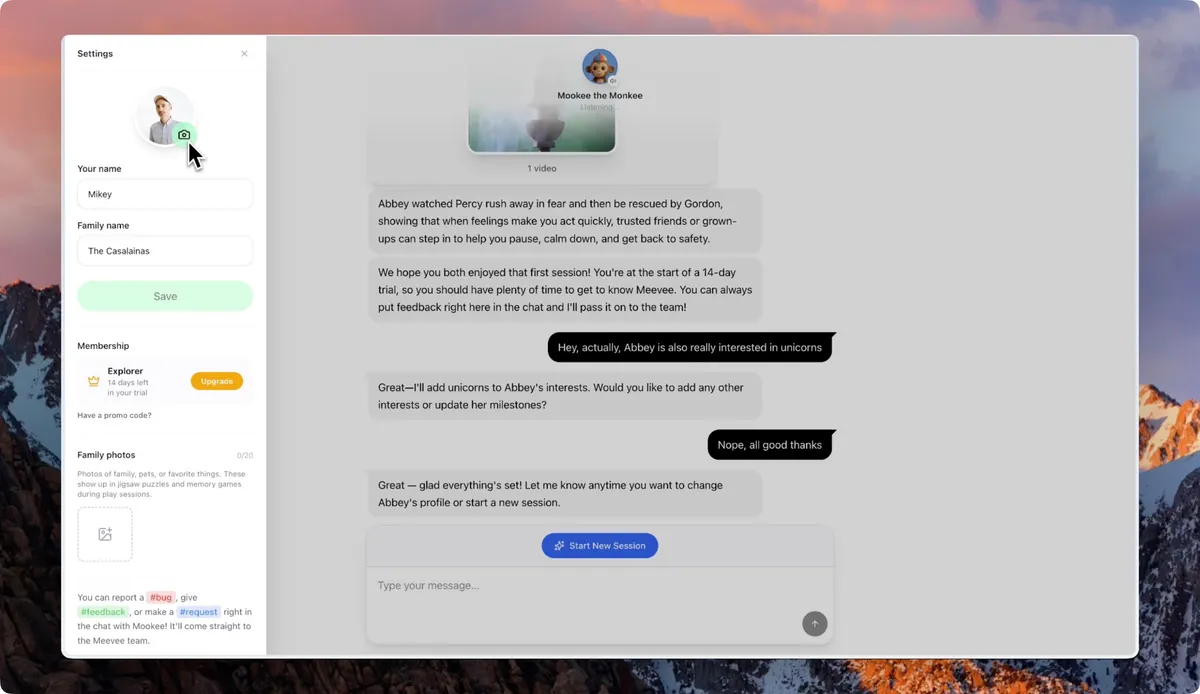
Select a new image from your device’s file browser or photo library.
Summary
This article shows you how to update your personal information within the Meevee app. By accessing the settings panel, you can easily change your display name and upload a new profile picture to keep your account personalized and up-to-date.